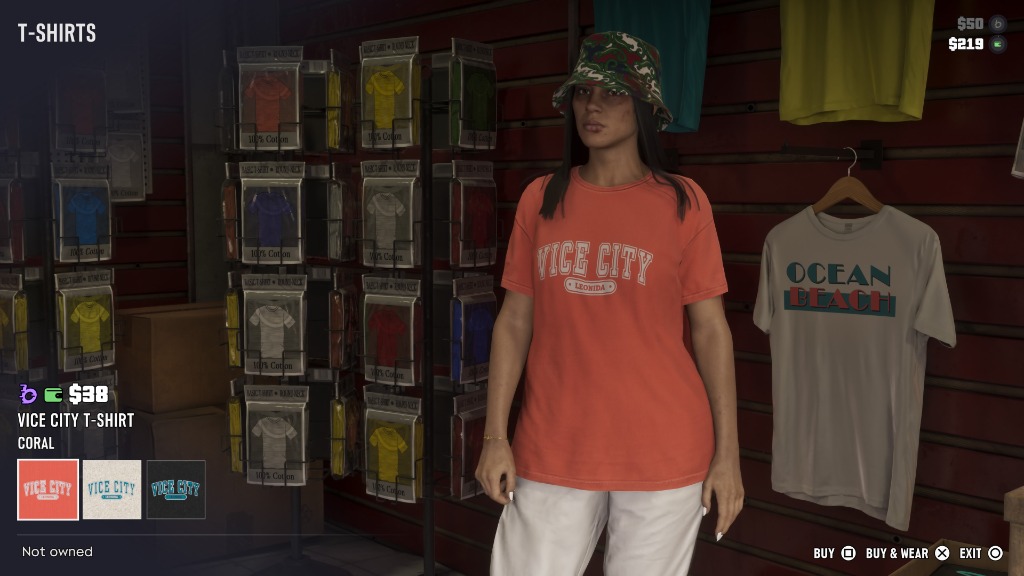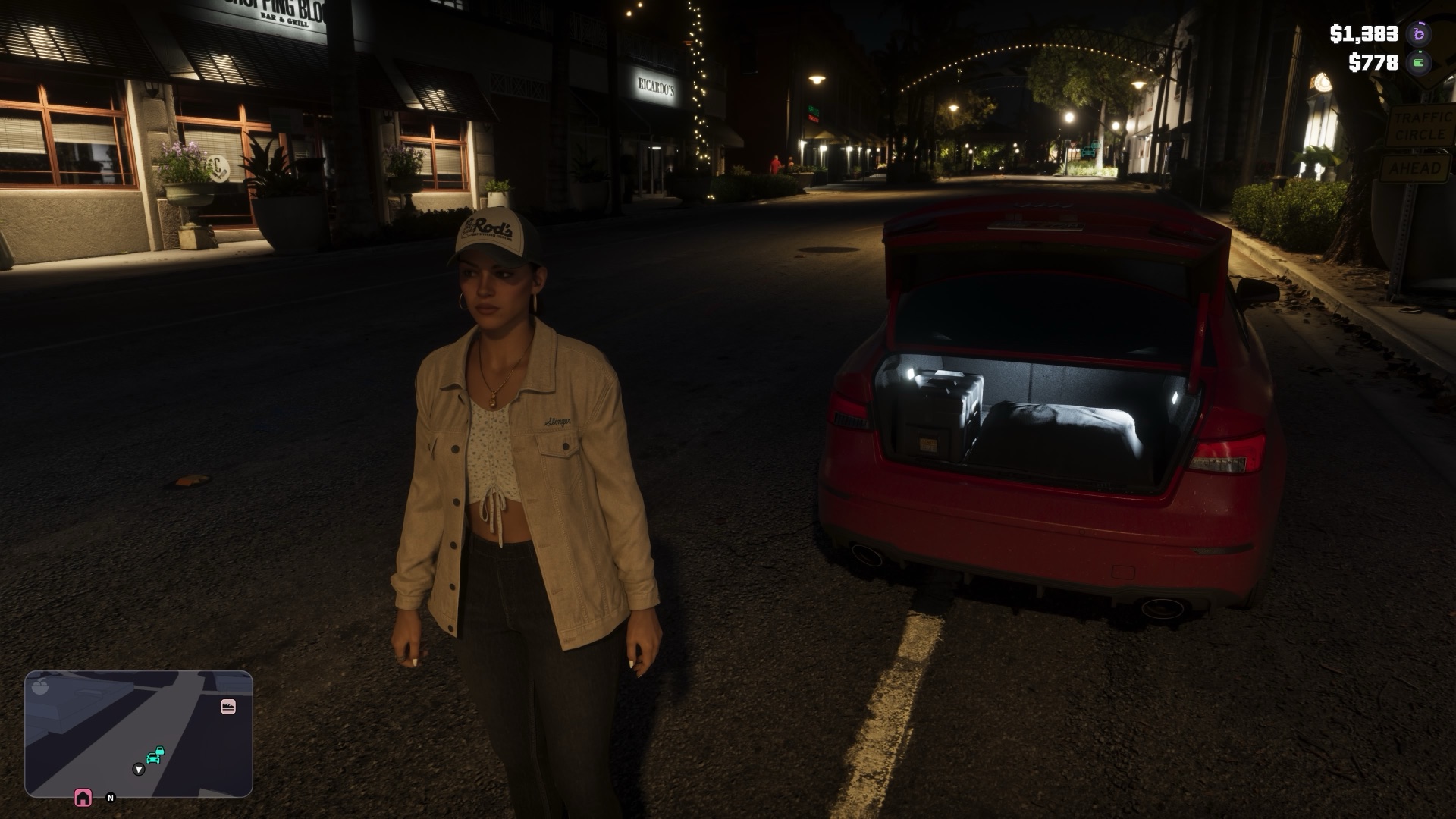
To change clothes from your car in GTA 6, save the outfit first: open Saved Outfits in the Outfits menu, highlight the outfit and press Square for Add to Trunk. Then walk to the back of your own car, open the trunk, press L1L1 for Loadout and R1R1 for Items, move to the coat-hanger slot, cycle to the outfit with L2L2 and R2R2 and press X to Put On. The trunk holds up to five outfits.
We did all of this on our PS5 Pro and every screenshot below is from that run, so unlike most of our clothing coverage this page is checked rather than reported. Xbox buttons are the usual equivalents: LB for L1, RB for R1, LT and RT for L2 and R2, X for Square, Y for Triangle, A for X and B for Circle.
Every outfit button, at a glance
| What you want to do | Where | PlayStation | Xbox |
|---|---|---|---|
| Save the outfit you are wearing | Saved Outfits, on an Empty row | X | A |
| Rename a saved outfit | Saved Outfits | L3clickL3 (click the left stick) (click the left stick) | Click the left stick |
| Delete a saved outfit | Saved Outfits | Triangle | Y |
| Send an outfit to your car | Saved Outfits | Square Add to Trunk | X |
| Take an outfit out of the car | Saved Outfits | Square Remove from Trunk | X |
| Open the loadout at the car | Your own car's open trunk | L1L1 Loadout | LB |
| Switch to the Items wheel | Loadout | R1R1 | RB |
| Cycle through trunk outfits | The hanger slot in Items | L2L2 and R2R2 | LT and RT |
| Put the outfit on | The hanger slot | X Put On | A |
| Close the trunk | At the car | Triangle | Y |
| Back out of any of these menus | Everywhere | Circle | B |
How do you save an outfit in GTA 6?
Open the Outfits menu from a wardrobe or changing room and pick Saved Outfits. The list has 11 rows. The first is Current Outfit, which has a padlock because it always holds whatever you have on and cannot be renamed or deleted. The other 10 are your save slots.
- Put the outfit together first. Saving stores what you are wearing at that moment.
- In Saved Outfits, highlight an Empty row and press X. The outfit goes into that slot.
- A tick next to a name means you are wearing that outfit right now. The legend at the bottom left of the screen reads Wearing.
- The counter under the list, 2 / 11 in our screenshot, is only the row you are on, not how many outfits you have saved.
How do you rename an outfit?
Highlight the outfit and click the left stick, L3clickL3 (click the left stick). There is no keyboard. The Rename screen is a list of 26 ready-made names, starting with Outfit 1, Everyday Casual, Loungewear, Beach Day, Boho, Country Workwear, Denim and Business Casual, and you press X to pick one or Circle to back out. The outfit's current name is ticked in the list.
So a name of your own is not possible for now. The practical use is telling trunk outfits apart in the loadout wheel, where only the name shows, so pick one that says what the outfit is for: Business Casual for a job that needs a suit, Loungewear for home, Beach Day for the beach.
How do you delete a saved outfit?
Highlight it in Saved Outfits and press Triangle. Current Outfit cannot be deleted, which is what its padlock means. The clothes themselves stay in your wardrobe: deleting only empties the slot, so you can save something new into it.
How do you add an outfit to your car's trunk?
In Saved Outfits, highlight the outfit and press Square. The prompt reads Add to Trunk with a counter, 0/5 before you add anything, so the trunk takes up to five outfits. Once an outfit is in, a small cyan car icon appears on its tick and the same button now reads Remove from Trunk (1/5). Press Square again to take it back out.
- Send outfits from this menu. Clothes you buy are not added to the car on their own.
- You can send the outfit you are wearing. Beach Day in our screenshots was ticked as worn and in the trunk at the same time.
- Outfits have their own count. At our car the Storage prompt read 3/4 for items while the outfit list read 1/5, so a trunk full of bags still has room for clothes.
Advertisement
How do you change clothes at your car?
Walk up to the back of your own car and open the trunk. Three prompts appear over it: Triangle Close, L1L1 Loadout and Square Storage, with the Storage counter showing how many items the trunk holds. Outfits live under Loadout, not Storage.
- Press L1L1. The loadout wheel opens on Weapons. Press R1R1 to switch to Items.
- Move the right stick to the slot with the coat hanger, at the bottom right of the wheel. It is labelled Outfits and sits beside your hats, glasses and masks.
- The hanger slot lists Current Outfit first, then each outfit you sent to the trunk. Press L2L2 and R2R2 to cycle through them. The counter under the slot read 1 / 2 on Current Outfit and 2 / 2 on Beach Day for us.
- With the outfit's name in the middle of the wheel, press X to Put On. Lucia changed on the spot, in the street, with the trunk still open.
- Press Triangle to close the trunk and go.
A hat, glasses or a mask works the same way in this wheel: highlight the item instead of the hanger and press X to put it on. The disguise guide covers masks and what the police can recognize you by.
How to change clothes, hair and masks in GTA 6, and how a disguise lowers your wanted level
Why keep an outfit in the trunk?
Your outfit is one of the things the police track, shown as an icon under your wanted stars, so a full change of clothes out of sight is one of the quickest ways to lose them. A saved outfit in the trunk lets you do that in the street instead of driving home. It is also handy for jobs with a dress code, and for swapping between work clothes and beachwear without a trip to the wardrobe.
- Change where nobody can see you, then drive off.
- Change the whole outfit. Players report a hat or glasses on their own are not enough once the police know your clothes.
- It has to be your own car. Players report a stolen car's trunk takes items but gives no loadout, so register the car you drive every day.
How to register a car so its trunk becomes yours
How the wanted stars work and how to lose the police
Limits, and what we have not checked yet
- Rename is a fixed list of 26 names. There is no free text.
- Ten save slots and five trunk slots are what the menus show. We have not filled all five to see what the game says at the limit.
- We have not yet checked whether the five trunk outfits are per car or shared across your cars, or whether Jason and Lucia keep separate lists.
More things GTA 6 doesn't tell you: our beginner tips
Quick answers
How do you save an outfit in GTA 6?
Open Outfits, then Saved Outfits, highlight an Empty row and press X (A on Xbox). The outfit you are wearing is saved there. There are 10 slots under Current Outfit.
How do you rename an outfit in GTA 6?
Highlight it in Saved Outfits and click the left stick. You pick from a list of 26 preset names such as Everyday Casual, Beach Day and Business Casual. There is no keyboard.
How do you put an outfit in your car in GTA 6?
In Saved Outfits, highlight the outfit and press Square (X on Xbox) for Add to Trunk. The trunk holds up to five outfits, and the same button removes one.
How do you change clothes at your car in GTA 6?
Open your own car's trunk, press L1/LB for Loadout and R1/RB for Items, move to the coat-hanger slot, cycle with L2 and R2 (LT and RT) to the outfit and press X/A to Put On.
How many outfits can you store in your car in GTA 6?
Five. The Add to Trunk prompt counts them from 0/5 to 5/5, separately from the trunk's item storage.