GTA 6's default settings are fine, but a few changes make it smoother from the first hour. Here are the settings players most often recommend, and what each one does. Option names may differ slightly on your console, and we will correct them as we confirm each one.
Controls
- Default movement speed: set it to Faster, so your character jogs by default instead of walking.
- Targeting and aim assist: pick Lock-On, Partial or Free Aim, and set aim assist strength from 0 to 5. Partial with a medium strength is a good starting point. Our difficulty guide covers this in detail.
Camera
- Cinematic kill camera: most players turn it off, because the slow-motion replays interrupt fights.
- Cinematic crash camera: the same, turn it off if you do not want a replay every time you crash.
- First person: players report there is no full first-person mode at launch, only first-person aiming with some weapons. Reports disagree on this, so check your camera options.
Map and on-screen display
- Minimap mode: players recommend Classic, which feels closest to earlier GTA games.
- Criminal profile notifications: players list this among the display options. If pop-ups distract you, this is one to try turning off.
Sound
Turn on 3D audio if you play with headphones. It makes it much easier to hear where shots and sirens are coming from.
HDR and picture
Players have not reported an HDR calibration screen inside the game. Calibrate HDR on your console instead. On PS5 go to Settings, Screen and Video, Video Output, Adjust HDR. On Xbox, use the HDR Game Calibration app. There is no performance or quality mode to choose: GTA 6 runs at 30 frames per second on every console.
Accessibility
Players report a good set of accessibility options. They include holding a button instead of tapping it repeatedly, a high-contrast mode, larger subtitles and interface, a setting to reduce tinnitus-like ringing after explosions, and control over controller vibration and trigger resistance. Look through them even if you do not think you need them. Turning off button mashing alone makes some sequences far more comfortable.
If you stream or record
Turn on Mute Licensed Music. The radio plays real songs, and they can get your streams muted or your videos claimed. Our streaming guide covers this and the other settings creators should change.
Aim assist and other ways to make GTA 6 easier
GTA 6 streamer mode and settings
Is GTA 6 60 fps? How it runs on each console
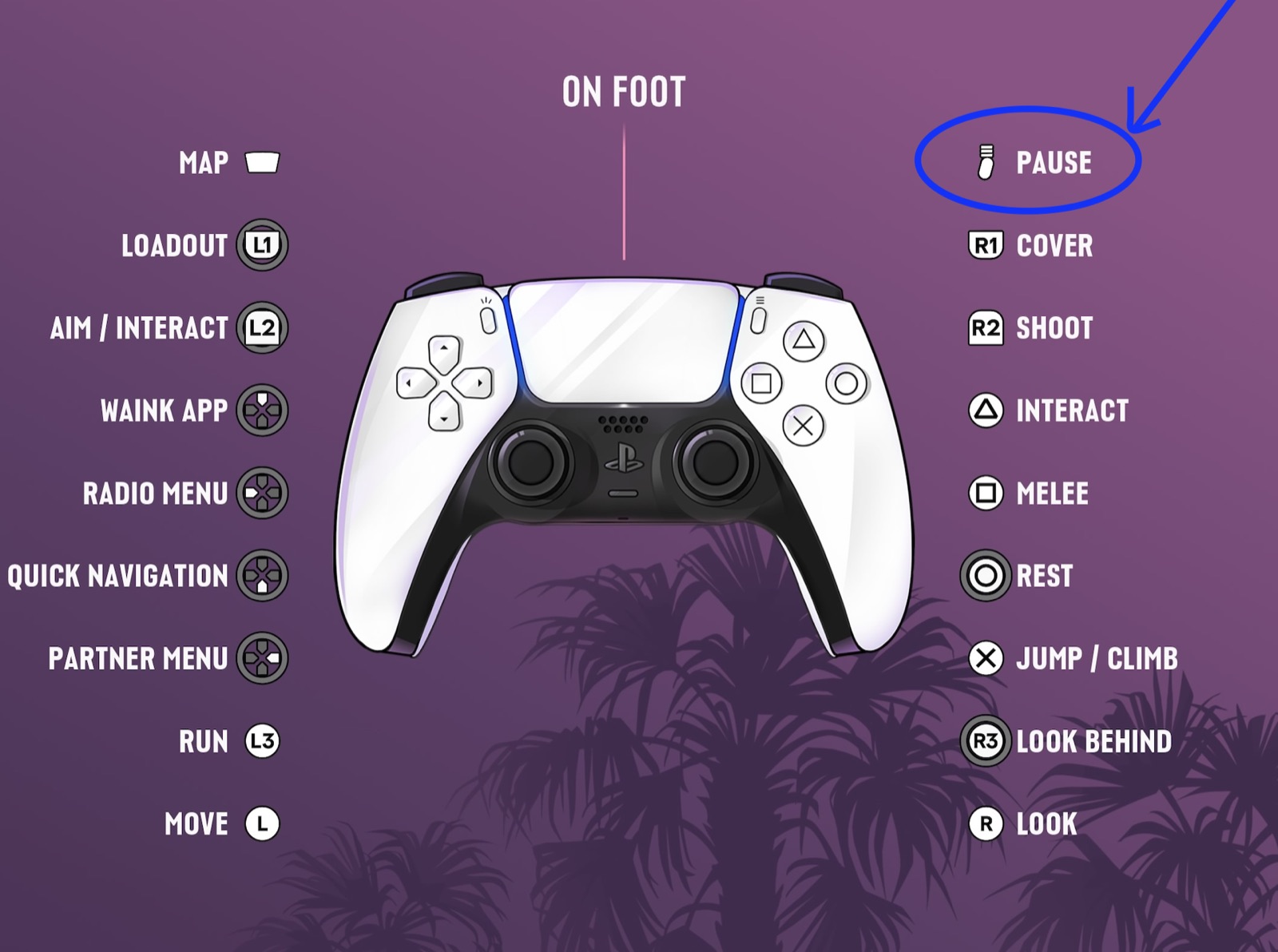
Every GTA 6 button on PS5 and Xbox, on foot and driving
Quick answers
What are the best settings for GTA 6?
Players most often recommend Faster default movement speed, both cinematic cameras off, Classic minimap mode, 3D audio with headphones, and HDR calibrated in your console's settings.
Does GTA 6 have a performance mode?
No. GTA 6 runs at 30 frames per second on every console, including the PS5 Pro, and there is no performance or quality mode.
Does GTA 6 have first person mode?
Players report there is no full first-person mode at launch, only first-person aiming with some weapons. Reports disagree, so check your camera options.