If GTA 6 keeps crashing, or your story has stopped dead, the first thing to do is install update 1.002.002. It came out on November 23, 2026 and it is a bug fix update: Rockstar's notes say it addresses several causes of crashes, autosaves that failed, phone calls that never rang, weather that got stuck and a wanted level that would not clear. That covers the most common complaints of launch week.
It does not cover everything. Players still report crashes after the update, consoles that switch themselves off, and story calls that have not arrived on older saves. This page lists each problem, says whether the update fixes it, and gives the steps that have worked for players when it does not. The update steps and version numbers are from our own PS5 Pro. The crash reports and workarounds are from players and from Rockstar's own patch notes, and we say so where something is unconfirmed.
Every known problem at a glance
| Problem | Fixed by update 1.002.002? | What to do now |
|---|---|---|
| Game crashes to the home screen | Partly. Several crash causes were fixed | Update, restart the console, then rebuild the database or reinstall |
| Game will not start on PS5, asks for a system update | Not a game bug | Install PS5 system software 26.07-14.23.00 |
| A story call never comes, nothing to do | Yes, for calls that had not fired | Update, load your save and play on. If nothing, load an earlier save |
| Autosave failed, hours lost | Yes, going forward | Check Load Game, then cloud saves. Keep manual saves from now on |
| Weather stuck for hours | Yes | Update |
| Cannot lose a wanted level | Yes | Update. Before that, getting busted or wasted clears it |
| Deadlift bar bugged at the gym | Yes | Update |
| Partner keeps their bag at the fence | Yes | Update |
| Console powers itself off | No | Cool the console, clear the vents, see below |
| Crash when resuming on Xbox | No | Quit the game fully instead of using Quick Resume |
Step one: install update 1.002.002
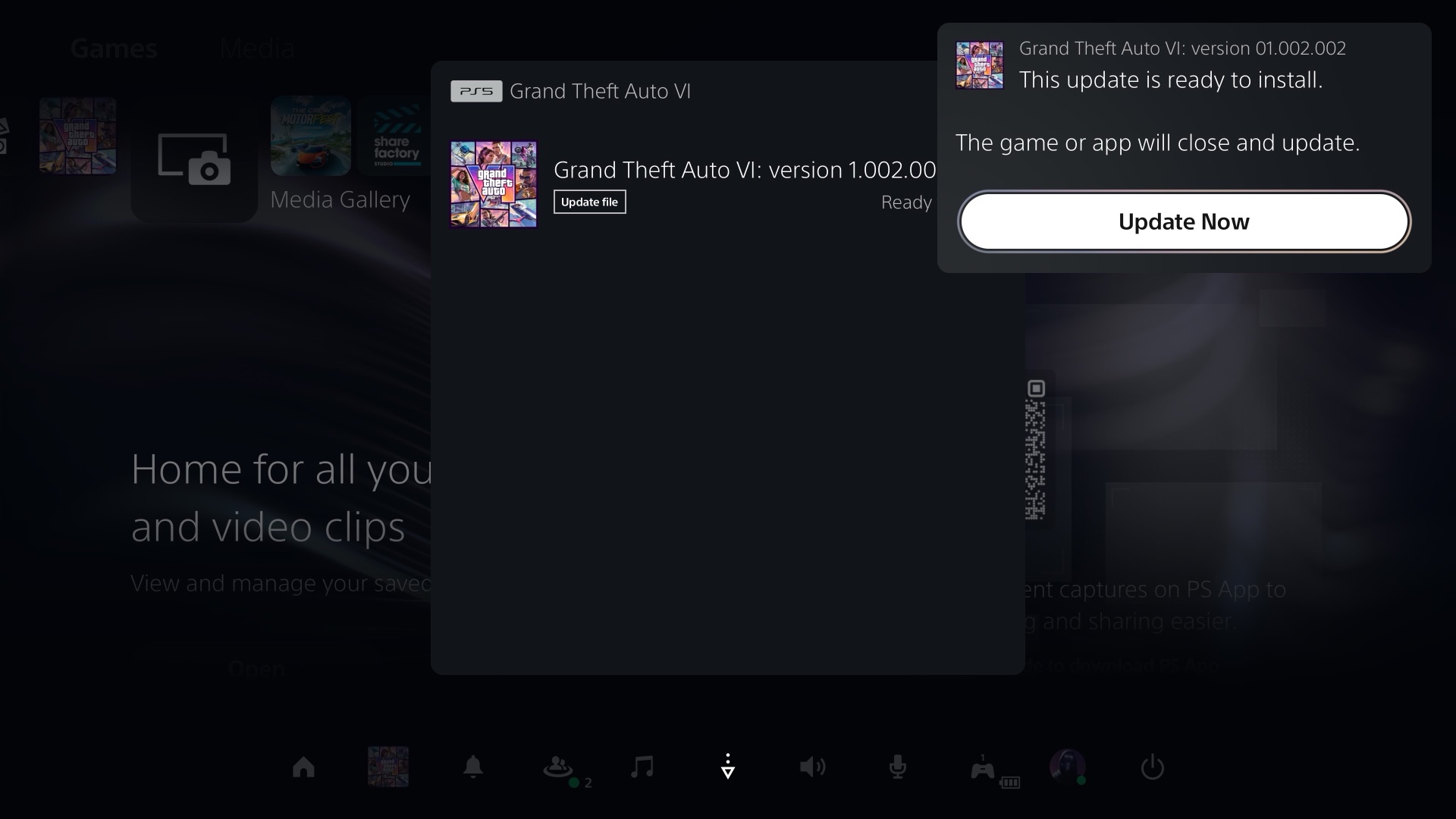
Everything else on this page assumes you have the update. On PS5 it is a 603.8 MB download, and the console lists it as version 1.002.002 in the downloads list and 01.002.002 in the ready-to-install notice. They are the same update. It reached PS5 owners in waves over about six hours, so if yours has not appeared, check by hand.
- PS5: highlight GTA 6 on the home screen, press the Options button and choose Check for Update.
- Xbox Series X|S: highlight GTA 6 in My games and apps, press the Menu button, choose Manage game and add-ons, then Updates.
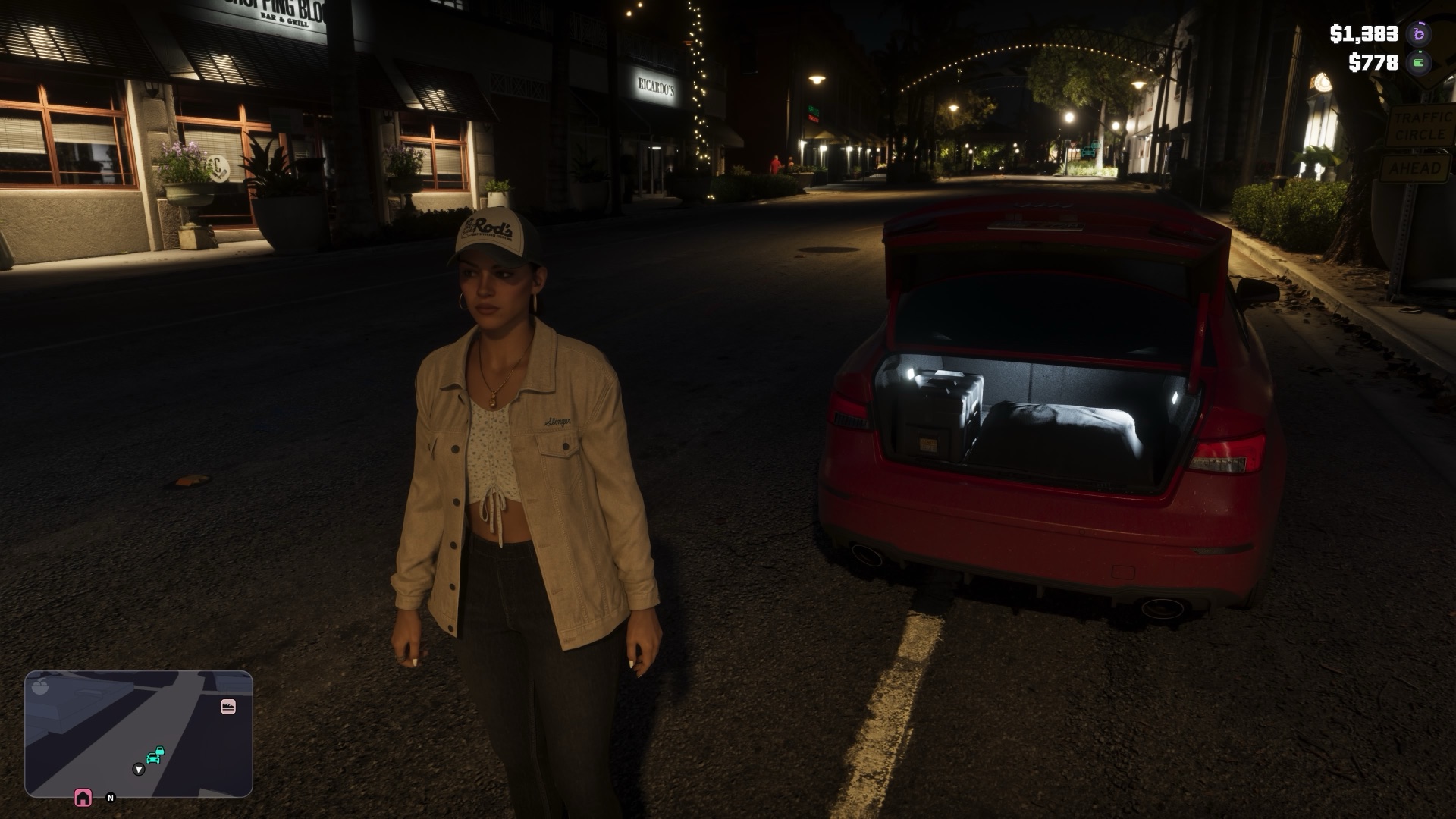
- To confirm it took: on PS5, Options then Information should show 01.002.002. In the game, the Game menu where you save and load shows the build number at the bottom left. Ours reads Build 930.048.020.
Update 1.002.002: the full list of fixes and screenshots of the install
GTA 6 crashes to the home screen
This is the most reported problem. The game closes and you are back on the console's home screen, sometimes with an error. On PS5 the code players see most is CE-108255-1, which is Sony's general code for an application that stopped. The update fixed several crash causes, and for many players that was the end of it. If it still happens to you, work through these in order and stop when the crashes stop.
On PS5
- Install the game update, then check for a system software update under Settings, System, System Software.
- Turn the console fully off and on again. Rest Mode does not count. Hold the power button until it beeps twice, wait a minute, then start it.
- Make sure the console has room to breathe. Crashes after long sessions, with the fan loud, point to heat. Give the vents space and clear the dust.
- Rebuild the database. Turn the PS5 off, then hold the power button until the second beep to enter Safe Mode. Connect the controller with a USB cable and choose Rebuild Database. It does not delete anything. Do not choose Reset PS5, which wipes the console.
- Delete and reinstall the game, under Settings, Storage. Your saves are kept, because they are stored separately from the game. It is a 212 GB download, so leave this for last.
On Xbox Series X|S
- Install the game update, then check for a console update under Settings, System, Updates.
- Quit the game fully. Press the Xbox button, highlight GTA 6 and choose Quit. Players report crashes when the game comes back from Quick Resume, so start it fresh each time instead.
- Do a full restart: hold the power button on the front of the console for about ten seconds until it shuts down, then start it.
- Run the game from the internal drive or a Storage Expansion Card. A game built for Series X|S cannot run from a USB drive, only sit there in storage.
- Reinstall the game as a last resort. Saves on Xbox sync to the cloud on their own, so they survive this.
If the crashes keep coming after all of that, and other games run fine, report it to Rockstar Support with the steps below. A game that still crashes after the maker's update is also one of the cases where Sony's refund rules make an exception, which our refund guide explains.
GTA 6 refunds on PS5 and Xbox, including the faulty game exception
GTA 6 will not start on PS5 and asks for a system update
This one is not a bug, but it caught a lot of people on launch day. GTA 6 needs PS5 system software 26.07-14.23.00 or later, and preloading the game does not install it. The game refuses to start until the console is updated. Go to Settings, System, System Software, System Software Update and Settings, and choose Update System Software. It is about 1.3 GB. You can check what you have under Settings, System, System Software, Console Information.
A story call never comes and you cannot continue
GTA 6 moves the story along with phone calls. A contact rings, and the next mission appears. Before the update, some of those calls never fired, and players sat with nothing to do and no marker on the map. The patch notes list this as fixed, including calls that progress the story or unlock mission content. It is the single most important fix in the update.
What Rockstar does not say is whether a call you were already waiting for will now ring on your existing save. Some players report that it does once they load the save and play for a while. Others report calls that still have not come, including one later in the story that players say arrives only after side work is done. If you are stuck:
- Install the update, load your latest save and play normally for a while. Drive somewhere, sleep at a safehouse, finish a side activity. Calls are tied to time passing, not to standing still.
- Check the map for any marker you have missed, and your phone for a message instead of a call. Some strands continue by text.
- If nothing happens, load a manual save from before the point where you got stuck and play up to it again. GTA 6 has no mission replay, so an earlier save is the only way to re-trigger a call.
- If your only save is the one that is stuck, contact Rockstar Support and say which mission you last finished.
Why GTA 6 has no mission replay, and what that means for your saves
Advertisement
The autosave failed and you lost hours
Launch week's loudest complaint. Players came back after a crash or a console reboot to find the autosave was hours old, or gone. The patch notes list an autosave that could fail to save as fixed. That stops it happening again. It does not bring back what was lost, and Rockstar has not said that anything can.
Before you assume the save is gone, look in the right place. Autosaves do not appear in the Save Game list. Open the Game tab in the pause menu and choose Load Game, where the autosave sits alongside your manual saves. One more thing to know: GTA 6 keeps a single autosave, and loading an older manual save means the next autosave is written from that older point. That is by design, not a bug.
From now on, save by hand. There are 15 slots and it takes a few seconds from the pause menu. Keep one rolling save that you overwrite each session, and a fresh slot at the end of each chapter. Cloud saves are a second line of defense: PS5 saves back up to PlayStation Plus cloud storage, and Xbox saves sync on their own, so a copy from before the problem may be sitting there.
How to save in GTA 6: the menu path, the 15 slots and the routine we use
The wanted level will not go away
Some players found that even after losing every police car, the stars stayed and the search never ended. The update lists this as fixed. If you are on an older version, or it happens again, the only sure way out is the old one: get busted or get wasted. You lose the cash you are carrying and pay a fee, so put money in the bank first if you can reach one. Hollow stars, by the way, are not this bug. They mean the chase is over but officers can still recognize you, and they fade on their own if you change car and stay away.
How the GTA 6 wanted level works and how to lose the police
Weather stuck, the deadlift bar, and bags at the fence
Three smaller bugs went out with the same update. Weather could get stuck and stop changing for long stretches, so a storm or a clear sky lasted for hours of play. The bar during the gym deadlift could misbehave. And when you went to sell to a fence, a partner could fail to hand over their bag. All three are listed as fixed. If you still see one after the update, report it, because that would be new.
The console switches itself off
This is different from a crash to the home screen, and the update does not address it. The screen goes black and the console powers down, sometimes after a loud fan, sometimes during the opening. Players have reported it on PS5, and it reads like the console protecting itself from heat rather than the game failing. GTA 6 works a console harder than most games.
- Let the console cool down before you start it again. Do not keep relaunching the game.
- Give it space on every side, get it off carpet and out of closed cabinets, and clear dust from the vents.
- A loud fan on its own is normal for this game. A loud fan followed by a shutdown is the warning sign.
- If it also happens in other demanding games, or there is no heat to speak of, the console itself may need looking at. That is a Sony or Microsoft support case, not a Rockstar one.
Boxed copies with a missing or used code
A smaller group of reports: boxed copies that came with a download code already used, or no code at all, and in Japan a code that had expired. This is not something an update can fix. Keep the box and the receipt, and go to the shop first, then to Rockstar Support with a photo of the code if the shop cannot help.
How to report a bug to Rockstar
Rockstar does not publish a known issues list, so player reports are how bugs get on the next patch. Go to the Rockstar Games Support site and open a request. Xbox and PlayStation both send GTA 6 game problems to Rockstar rather than handling them themselves. Include:
- Your console, and whether it is a PS5, PS5 Pro, Series X or Series S.
- The game version from the console, and the build number from the Game menu.
- The last mission you finished, and what you were doing when it happened.
- Whether it happens every time, and what you have already tried.
- A video clip if you can. The Create button on PS5 and the Share button on Xbox save the last few seconds.
What we have checked ourselves
The update install, the version numbers and the build number are from our own PS5 Pro, where the update went on without trouble. The crash reports, the error code, the stuck calls and the lost autosaves come from players and from Rockstar's own patch notes. Where a fix is a player workaround rather than something Rockstar has said, the text says so. We will update this page with each new patch.
Every GTA 6 update so far, with sizes and what each changed
Quick answers
Why does GTA 6 keep crashing on PS5?
Several crash causes were in the game at launch, and update 1.002.002 from November 23, 2026 fixes some of them. Install it first. If crashes continue, restart the console fully, rebuild the database from Safe Mode, and reinstall the game as a last resort. Heat is a common cause after long sessions.
What is error CE-108255-1 in GTA 6?
It is the PS5's general code for an application that stopped unexpectedly. It is not specific to GTA 6. Update the game, restart the console and rebuild the database. If it keeps happening, reinstall.
Does the GTA 6 update fix the crashes?
Rockstar's notes for update 1.002.002 say it fixed several issues that caused the game to crash. Many players report it helped. Some still crash after it, so the update is the first step, not the only one.
My GTA 6 story is stuck and nobody calls. What do I do?
Install update 1.002.002, which fixes story calls that did not trigger. Then load your save and play for a while so time passes. If the call still does not come, load an earlier manual save and play up to that point again, or contact Rockstar Support.
Will I lose my GTA 6 save if I reinstall the game?
No. Saves are stored separately from the game on both PS5 and Xbox, and both consoles back them up to the cloud. Deleting and reinstalling the game leaves them in place.
Can I get a refund if GTA 6 keeps crashing?
Possibly. Sony's rules allow a refund for a game that is faulty, which includes crashing in a way an update does not fix, even after you have downloaded it. Xbox considers requests case by case. Install the update and try the fixes first, because support will ask.
Sources
- Rockstar Games Support: Grand Theft Auto VI launch updates (PS5 / Xbox Series X|S)
- Rockstar Games Support: contact support
- PlayStation Support: PS5 Safe Mode, including Rebuild Database
- PlayStation Support: error code CE-108255-1
- PlayStation Support: PS5 system software update
- Xbox Support: restart or power cycle your console